
Choose what gets your attention
Today is a personal selection of tasks for a day. Add existing tasks to your focus list and arrange them in the order you want to work. A task keeps its original plan, details, and identity.
You can look at another day and plan ahead. Return to Today when you want the current day in your account time zone. Completing a task updates that task wherever you have permission to see it.
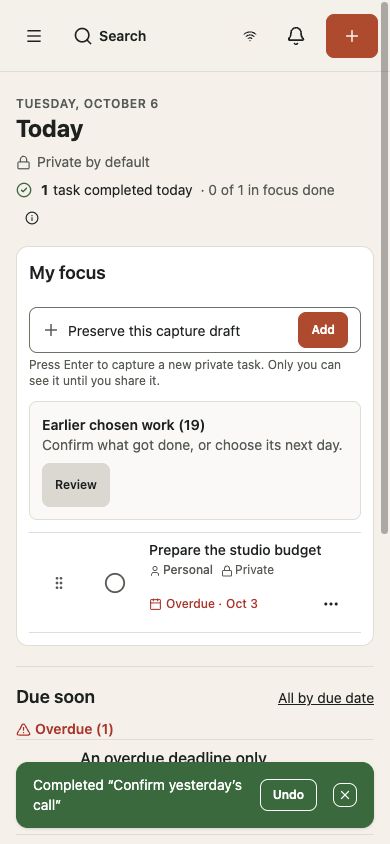
Review earlier chosen work
In the update in testing, Earlier chosen work collects unfinished tasks selected for an earlier day. Open Review to decide what to do with each one. You can mark it done, choose another day, or leave it without a focus day.
A new day does not delete your tasks. Moving a focus selection also leaves the task deadline alone. An overdue deadline can still need attention after you choose a new day to work on it.
Use Due soon as a separate check
Due soon shows relevant approaching deadlines, with overdue tasks called out separately. Use it to check commitments before deciding what belongs in your focus list.
Completion counts describe the tasks included in their displayed scope. They are a way to understand your list, rather than a score for how productive your day has been.